ANALYTICS INSIGHTS
Transform data into the best decisions
Recent Analytics Insights
-
 Benefits of cloud services for analytics and AIThe benefits of cloud services include flexibility, efficiency and strategic value. Learn how cloud services and managed cloud work – including how they help organizations move faster, control costs and modernize legacy systems. Dig into their advantages, including core infrastructure components, delivery models and the strategic value of scalability, security and cloud sovereignty.
-
 Accelerating innovation with smarter AI hardwareAI is now woven into strategic objectives, and the energy efficiency of AI hardware directly affects operational expenses, geographic decisions and ESG commitments. But AI hardware systems in their current form and at their current growth rate are not sustainable. Leaders must begin to recognize hardware choices not as a technical detail but as a key part of their strategy.
-
 What is synthetic data? And how can you use it to fuel AI breakthroughs?There's no shortage of data in today's world, but it can be difficult, slow and costly to access sufficient high-quality data that’s suitable for training AI models. Learn why synthetic data is so vital for data-hungry AI initiatives, how businesses can use it to unlock growth, and how it can help address ethical challenges.
-
 What is a customer data platform?Customer data platform popularity has risen, leading to confusion in the marketplace. Here's everything you need to know about how a CDP works, the challenges to consider when looking at options, and ways to extend the CDP capabilities beyond marketing through easy integration of real-time decision engines.
-
 AI transforms insurance: See 8 examples of how it worksUsing AI in insurance can boost value for customers, insurance companies and stakeholders alike. Examples range from stronger fraud detection and improved customer service to optimized underwriting processes and competitive advantage. Learn more about how AI is transforming the industry.
-
 AI and humanity: Collaborating to solve global problemsDisplaced communities, the food crisis and natural disasters – these situations affect quality of life, and even the ability to survive. Could artificial intelligence be the unexpected boost humanity needs? Could it accelerate our ability to make a positive, lasting impact? Learn more and read examples of how AI is being used to find solutions to global problems.
-
 What is AI modeling?AI modeling involves creating programs that use one or a combination of algorithms to allow computers to think, learn and predict outcomes. Much like a human brain, AI models absorb input data – numbers, texts, images, video, sound – to learn how to predict outcomes or solve specific tasks without explicit instructions at every step.
-
 Five AI technologiesDo you know the difference between artificial intelligence and machine learning? Can you explain the basics of AI technologies like GenAI and AI agents? Read our overview to understand these and other technologies behind the AI craze.
-
 Understanding digital twin technologyLearn how digital twin technology can change industries from health care to manufacturing, and shape the future of data modeling and process improvements.
-
 Big data in government: How data and analytics power public programsBig data in government is vital when analyzed and used to improve the outcomes of both public and private sector programs – from emergency response to workforce effectiveness. The vast volumes of data created every day are the foundation of insightful changes for government agencies across the globe.
-
 Unlocking a strategic approach to data and AIAI is only as good as the data that powers it – this is a fundamental truth about data and AI that defines the limits of what’s possible with artificial intelligence. It may seem surprising, but it's rarely a bad algorithm or a bad learning model that causes AI failures. It's not the math or the science. More often, it's the quality of the data being used to answer the question.
-
 AI anxiety: Calm in the face of changeAI anxiety is no joke. Whether you fear jobs becoming obsolete, information being distorted or simply missing out, understanding AI anxiety can help you conquer it.
-
 Fraud detection and machine learning: What you need to knowMachine learning and fraud analytics are critical components of a fraud detection toolkit. Discover what you’ll need to get started defending against fraud – from integrating supervised and unsupervised machine learning in operations to maintaining customer service.
-
 Edge computingTraditional methods capture, store and analyze data later, slowing response times. With edge computing, IoT data is processed at the edge of a network where it’s created or collected – avoiding delays and enabling real-time processing and action.
-
 What are AI hallucinations?Separating fact from AI-generated fiction can be hard. Learn how large language models can fail and lead to AI hallucinations – and discover how to use GenAI responsibly.
-
 Shut the front door on insurance application fraud!Fraudsters love the ease of plying their trade over digital channels. Smart insurance companies are using data from those channels (device fingerprint, IP address, geolocation, etc.) coupled with analytics and machine learning to detect insurance application fraud perpetrated by agents, customers and fraud rings.
-
 What are chatbots?Chatbots are a form of conversational AI designed to simplify human interaction with computers. Learn how chatbots are used in business and how they can be incorporated into analytics applications.
-
 Next generation anti-money laundering: robotics, semantic analysis and AIAdding AI and machine learning to your anti-money laundering program can combat rising compliance pressures, complexity and risks. Learn about the results innovative financial institutions around the globe are getting from next-generation AML.
-
 A data scientist’s views on data literacyData literacy is a social imperative – and understanding data and data analysis is critical for being a responsible citizen. Get a data scientist and teacher's perspective on the value of having foundational knowledge so you can more easily tell data facts from data fiction.
-
 4 strategies that will change your approach to fraud detectionAs fraudulent activity grows and fighting fraud becomes more costly, financial institutions are turning to anti-fraud technology to build better arsenals for fraud detection. Discover four ways to improve your organization's risk posture.
Analytics: The Basics
- Overview
- Big Data Analytics
- Data Mining
- Predictive Analytics
- Statistical Analysis
- Blockchain
- Neural Networks
- Data Science
- Algorithm
- Data Scientists
Analytics
If you're reading this, you probably know at least a little – maybe even a lot – about analytics. According to Wikipedia, analytics is "the discovery and communication of meaningful patterns in data." Seems obvious, right? Where the real story with analytics lies, however, is in what you can do with it. Think in terms of possibilities. Opportunities. Discoveries. Made possible by technological advancements in analytics that were never even dreamed of not so very long ago, within your lifetime. So let's explore the topic of analytics together. We'll share insights from the brightest minds in analytics – insights that you can turn into ... well, it's up to you.

Big Data Analytics
As data floods your organization on a daily basis, the question is no longer "What is big data?" Instead, it's "What can we do with the big data we have?" The answer, of course, is integral to the future of your business. And big data analytics opens up the world of the possible. With big data analytics, you can implement data mining, predictive analytics, text mining, forecasting and optimization to explore your options and make the best possible business decisions.
Data Mining
Have you heard the one about the retailer that discovered diapers and beer are often purchased together? What about the telco that can predict your likelihood to switch carriers based on how many of your friends have already switched? These businesses used data mining to uncover completely unexpected insights in their data. What secrets are hiding in your ever-growing data stores? Find out with data mining.

Predictive Analytics
So you’ve embraced the power of collecting and analyzing data. That’s a great first step, but it just scratches the surface. To get the most out of your data, you need to anticipate the future, not just analyze the past.
Whether you want to attract new customers, assess payment risk, identify fraud or forecast energy demand, predictive analytics can provide answers to your most complex questions.

Statistical Analysis
Statistical analysis isn’t just for sports geeks and political pollsters. Every day, statistics plays a critical role in informing public policy and improving human welfare. The field of statistics has grown from sampling populations to analyzing even the biggest of big data sources.
Today’s statisticians are tracking endangered species, improving agricultural processes and predicting the best treatments for complex diseases. There's a lot going on with this influential field and the statistical programming techniques used by today’s statisticians.

Blockchain
What can you store in blockchain besides Bitcoin transactions? Insurance claims, medical records and even voting records can all be stored in blockchain. Simply put, blockchain is a distributed data architecture that stores data and transactions – and validates the accuracy of those transactions by consensus. Learn more about blockchain and how you can analyze blockchain data.

Neural Networks
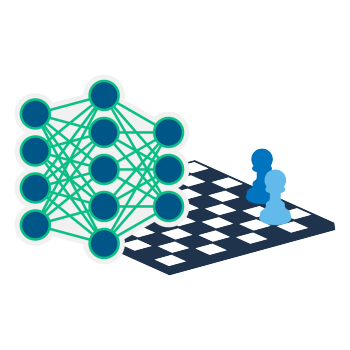
Neural networks are computer programs designed to imitate how the human brain learns and searches for patterns. Often referred to as artificial neural networks (ANNs), they are ideally suited to solving real-world problems in different fields. Much like a human brain, they can be trained over time to improve their interpretations of data.
Data Science
Data science remains one of the hottest fields in analytics. It’s also the hardest to staff and define. We explain it here with examples, use cases and plenty of data science resources.

Algorithm
If you watched a movie recommended to you, searched for a recipe or talked directly to your phone today, you interacted with an algorithm. How do algorithms work and how pervasive are they? We have the answers to those questions and more.

Data Scientists
Explore the transformative role of data scientists in today's digital era. Understand their skills, the evolution of their profession, and the impact they bring to modern businesses.

Send SAS Insights straight to your inbox