Products & Solutions / Sentiment Analysis

SAS® Sentiment Analysis

Automatically pinpoint sentiment from the Web and electronic documents

SAS Sentiment Analysis automatically locates and analyzes digital content in real time, helping you to quickly understand customers' and constituents' opinions and experiences from across multiple channels – websites, communication centers, emails, forms, surveys, internal files and reports. It unites the power of statistical learning with advanced linguistic methods to home in on the sentiment buried within textual data, so you can spot trends before they become viral, and identify your customers' priorities.

Benefits

  • Evaluate sentiment and monitor changes over time.
  • Continuously improve customer experience.
  • Use feedback to define new targets.
  • Understand market and competitive positions.
  • Promote ongoing discovery.

Read more

Features

  • Statistics and linguistics combined to provide more accurate sentiment analysis results
  • Context of features examined for accurate interpretations
  • Dynamic sentiment analysis
  • Easy-to-use interface
  • Interactive workbench
  • Web-based reports
  • Updates on Web postings, reviews and opinions
  • Multiple languages supported

Read more

Screenshot

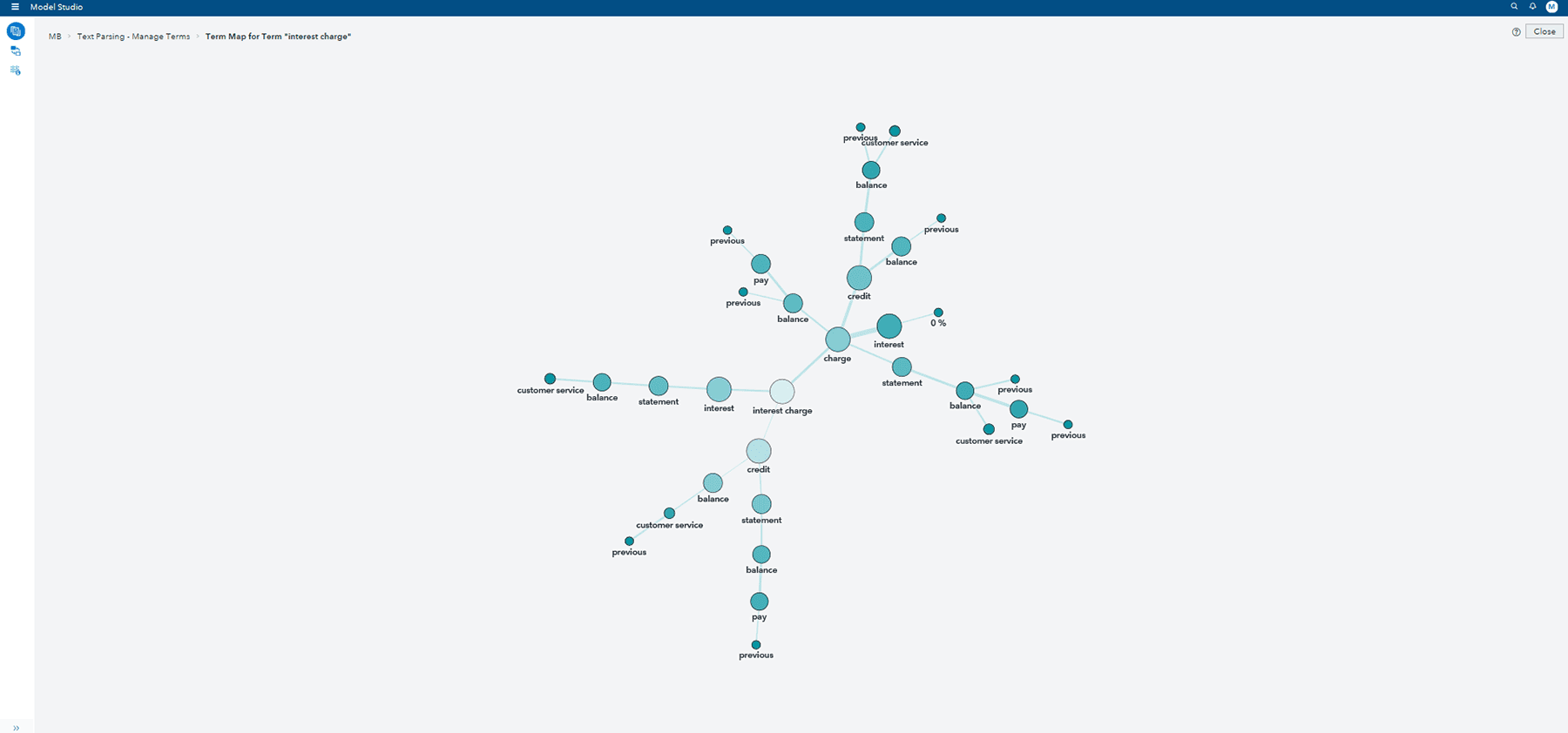
Interactively view sentiment model results.


Screenshots

How SAS® Is Different

  • SAS Sentiment Analysis uses a hybrid approach based on statistical modeling and rule-based natural language processing (NLP) to automatically extract sentiments in real time or over a period of time from the Web or internal electronic document collections.
  • Ongoing model refinement enables you to focus on current opinions, identify changes as they occur and flexibly augment evaluations with new information – constantly improving the effectiveness of your analysis and providing quantified insights on products, services and brands not previously available from the manual review of Web and other electronic-based content.
  • Incorporating an extensive number of languages and dialects, the software provides a detailed breakdown of text evaluations. Extrapolate information and create color-coded graphs to understand exactly what these commentaries mean in terms of overall expressed sentiment for your brand, products and services, as well as changes in these sentiments over time.
  • As part of an integrated framework, SAS Sentiment Analysis can be combined with categorization and extraction models so you can extend existing taxonomy definitions to include the associated expressed sentiments.

Benefits

  • Evaluate sentiment and monitor changes over time. SAS Sentiment Analysis automatically extracts sentiments in real time or over a period of time, with a unique combination of statistical modeling and rule-based natural language processing techniques. Built-in reports show patterns and changing reactions.
  • Continuously improve customer experience. To decipher opinions, the software extracts positive and negative phrases and features in electronic collections, analyzing subtle and seemingly contradictory words and phrases. Training models highlight key areas for improvement.
  • Use feedback to define new targets. By actively monitoring internal collections (such as call centers and the Web) combined with social networking sites (like Twitter and Facebook), the software shows where you're being discussed and what is being said. It automatically extracts feedback as content is crawled, filtering out the most important concepts so you can pursue promising markets and opportunities.
  • Understand market and competitive positions. The software searches for and evaluates internal and external content about your organization and competitors, clarifying your perceived core competencies and relative standing.
  • Promote ongoing discovery. With ongoing evaluations, you can refine models and adjust classifications to reflect emerging topics and neologisms relevant to consumers.

Features

Statistics and linguistics combined to provide more accurate sentiment analysis results
  • Provides a choice of approaches to sentiment analysis:
    • Statistical modeling: Provides predefined default parameters, as well as the ability to modify parameter settings to identify the key elements for sentiment evaluation from textual collections.
    • Linguistic rules: Lets analysts define the elements to be examined for sentiment reviews through contextual Boolean operators.
    • Hybrid approach: Provides the unique ability to use both statistical rigor and business expertise to define elements and features and how they should be combined for the most accurate sentiment evaluations.
  • Ability to import and/or create concepts for evaluations.
Context of features examined for accurate interpretations
  • Assigns weights to matches to determine the optimal concept match for any particular document or source.
  • Supports complex linguistic rules for one or several matches of a term, regular expressions, co-referencing, part-of-speech tags, the distance or occurrence of concepts in relation to other words, and more.
  • Includes prebuilt tasks to simplify linguistic pattern identification. It offers:
    • Predicate rules to define semantic relationships between concepts.
    • Operators to locate related information with greater precision, such as co-referencing.
    • Identification of intermediate concepts that contain rules referenced by other concepts (shortens the rule-writing process).
    • Case-insensitive matching, so you can match both uppercase and lowercase terms.
    • An operator to reference the polarity in keywords.
    • Easy modification and reuse of existing rules with cut, copy, paste and other quick keys.
    • Rule editing within the body of the rule.
  • Checks rule syntax after editing, before the rule is built, to improve rule construction.
  • Offers a search facility to find keywords within rules.
Dynamic sentiment analysis
  • Use phrases to express connotation with combinations of Boolean rules and other linguistic tools.
  • Permits improvements and/or changes over time with multiple model generation within the same project, and the ability to edit and test model modifications.
  • Allows subject-matter experts to refine model performance with an easy-to-use, point-and-click interface.
  • Monitoring of results over time will inform model analysis refinement, and comparisons to benchmark training sets can be established to allow for continuous improvement.
Easy-to-use interface
  • Project wizard allows you to configure your project while it is being defined.
  • Specific definition for statistical model and rule-based model configurations.
  • One view of model test and configuration settings provides greater clarity.
  • Panes in the interface simplify tasks and display more information, such as rule evaluations and search results.
Interactive workbench
  • Ability to add new concepts/entities to capture desired topics.
  • Word cloud report, based on defined concepts, automatically illustrates extracted noun phrases.
  • Prebuilt operators can be used to hone keyword searches.
  • Online help documentation is integrated with the interface.
  • Some workbench functionality is available through Web services APIs so documents can be programmatically added to different projects, exported, managed, searched, etc.
Web-based reports
  • Standard output reports include:
    • Visual sentiment trend reports indicate the positive/negative and neutral classification frequency of defined concepts over time.
    • Overall sentiment rating report describes the overall sentiment as well as those associated with all of the defined features.
    • Ability to explore results in more detail with SAS Business Intelligence tools and data visualization and discovery capabilities with add-on capabilities.
Updates on Web postings, reviews and opinions
  • High-performance, multithreaded crawler that can be deployed in a distributed mode to maximize processing and support extremely large-scale crawls.
  • Powerful linguistic technology is built in to extract URLs from Java scripts.
  • Web crawls can be interrupted and resumed.
  • Web crawler lets you:
    • Define individual quotas for a particular Web address.
    • Add a field with a constant value to each input document.
  • Document processor makes it easy to parse, export and control processing and output.
  • Duplications are automatically removed.
  • Politeness requests help prevent complaints or blocking of access by enabling a friendly download feature.
  • Supports desired restrictions on crawling to customize searches (e.g., to specific file formats, servers, restrict the area or specify search depth).
  • Crawls can be set to incrementally update only changes to previous saves.
Multiple languages supported
  • Full suite of 27 languages (plus dialects) available.
  • Supports Arabic, Chinese (both Simplified and Traditional), Czech, Danish, Dutch, English (US/UK), Finnish, French (French/Canadian), German (New/Old), Greek, Hebrew, Hungarian, Indonesian, Italian, Japanese, Korean, Norwegian (Nynorsk/Bokmål), Polish and Portuguese (Portugal/Brazil), Romanian, Russian, Slovak, Spanish (Spain/South America), Swedish, Thai, Turkish and Vietnamese.

Screenshots

Screenshot
Interactively view sentiment model results.

Interactively view sentiment model results using the workbench to explore, refine and assess model performance.

View Screenshot

Screenshot
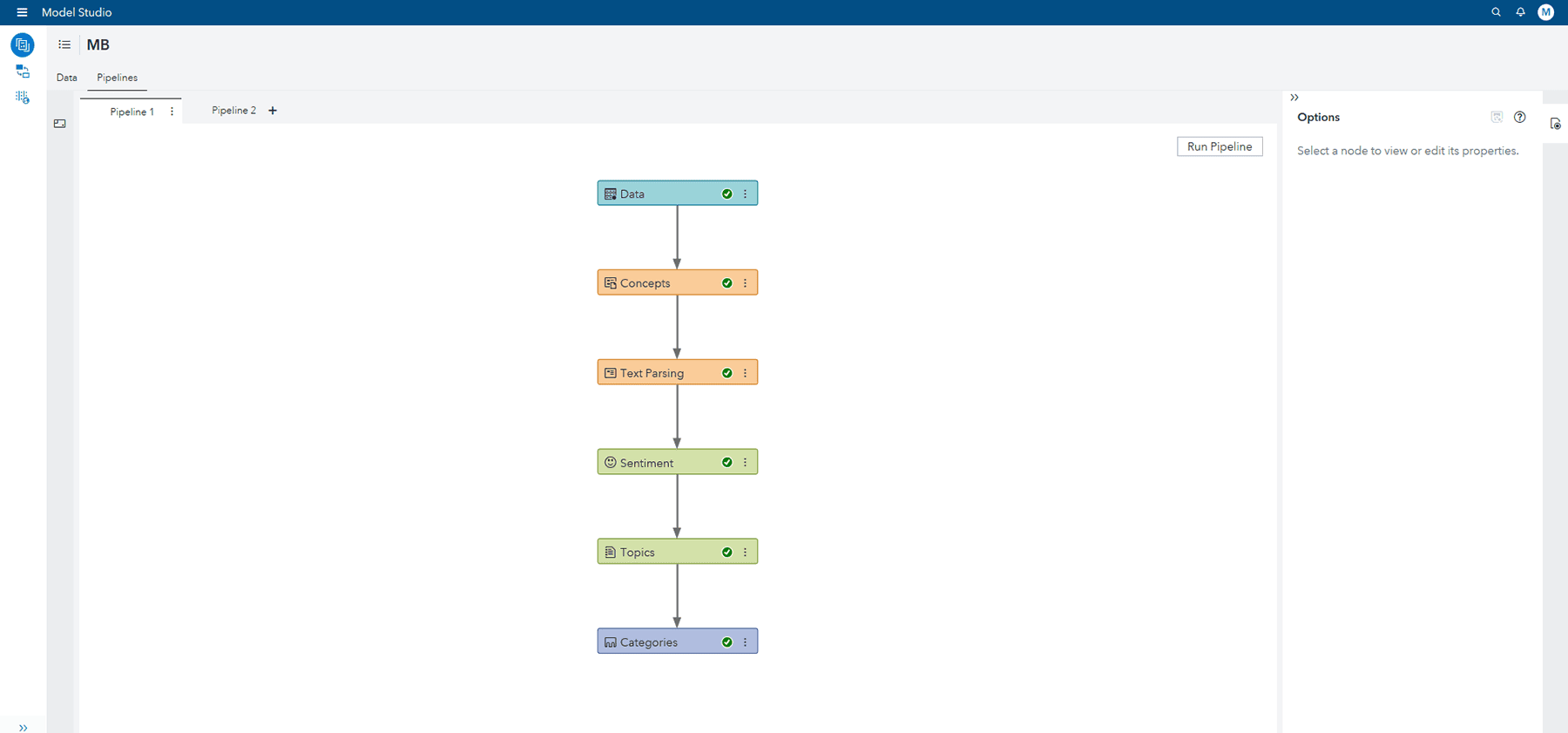
Develop and test sentiment models using an interactive interface.

View Screenshot

Screenshot
Visually compare different types of models, from statistical, rule-based or hybrid algorithms.

View Screenshot

Screenshot
Use the point-and-click SAS Sentiment Analysis workbench to refine model classifications.

View Screenshot

Screenshot
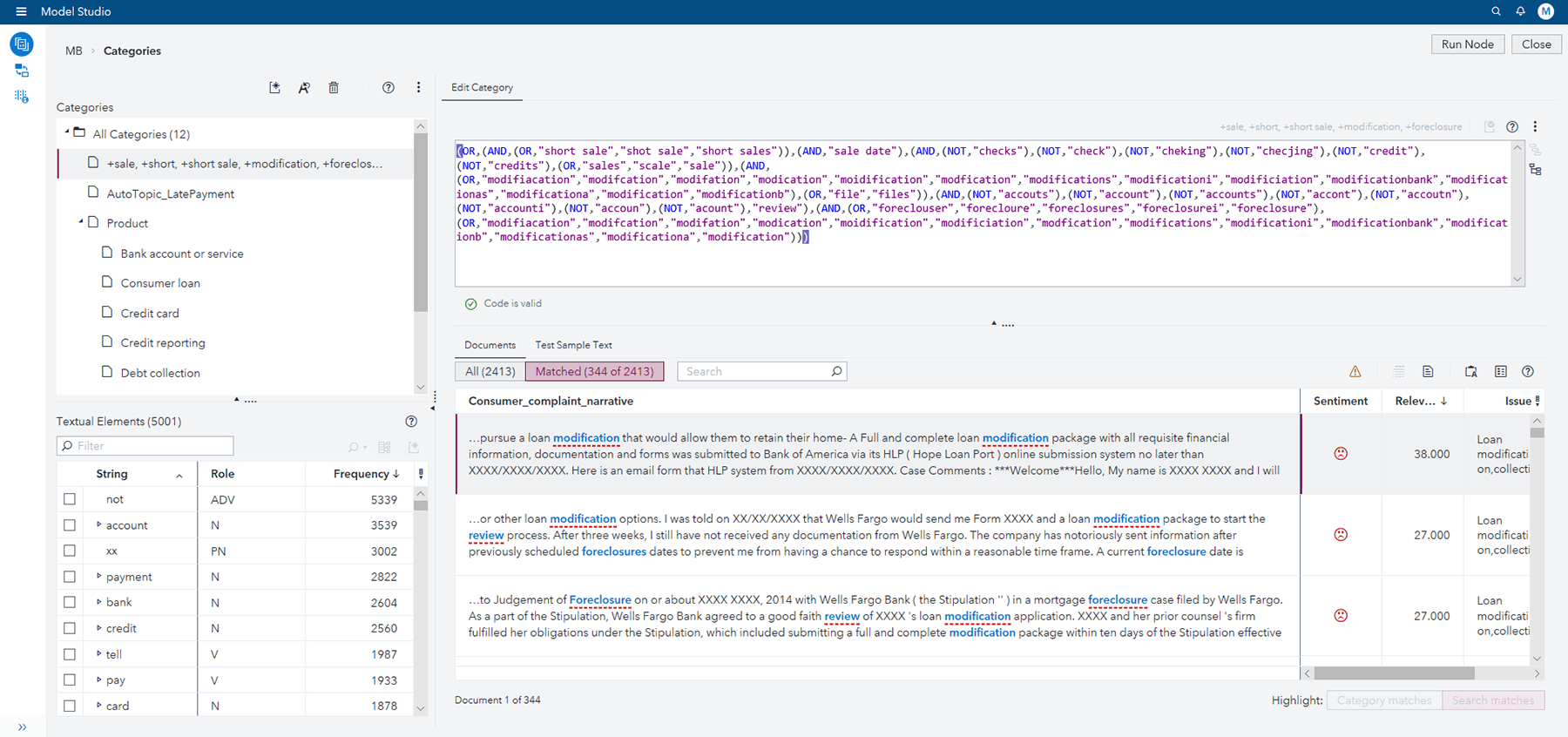
Search for particular keywords within defined date ranges, and even categories by classified sentiment.

View Screenshot

Screenshot
Visually explore scored sentiment documents in charts – or, based on predefined categories, in phrase cloud format.

View Screenshot

System Requirements

SAS Sentiment Analysis is a standalone product that requires no other SAS modules.

Client Environment
  • Microsoft Windows (x86-32 and x64): Windows XP Professional, Windows 7**, Windows Server 2003 family, Windows Vista*, Microsoft Windows (x64): Windows XP Professional for x64, Windows Vista* for x64, Windows 7** for x64
  • Microsoft Internet Explorer 8, Firefox, Chrome
Server Environment
  • HP-UX Itanium: HP-UX 11iv3 (11.31)
  • HP-UX PA-RISC: HP-UX 11iv3 (11.31)
  • IBM AIX: 6.1 and 7.1 (x64) on POWER architectures
  • Linux for x86 (x86-32): RHEL 5 and 6, SuSE SLES 10
  • Linux for x64 (EM64T/AMD64): RHEL 5 and 6, SuSE SLES 10 and 11
  • Microsoft Windows on x64 (EM64T/AMD64): Windows XP Professional for x64, Windows 7** for x64, Windows Server 2003 for x64, Windows Server 2008 for x64, Windows Vista* for x64
  • Solaris on SPARC: Version 10
  • Solaris on x64: Version 10

* NOTE: Windows Vista supported editions are Enterprise, Business and Ultimate.
** NOTE: Windows 7 supported editions are Professional, Enterprise and Ultimate.

Ready to learn more?

Call us at 1-800-727-0025 (US and Canada) or request more information.