
Meet peak computing demands reliably and cost-effectively.
Balance your workload.
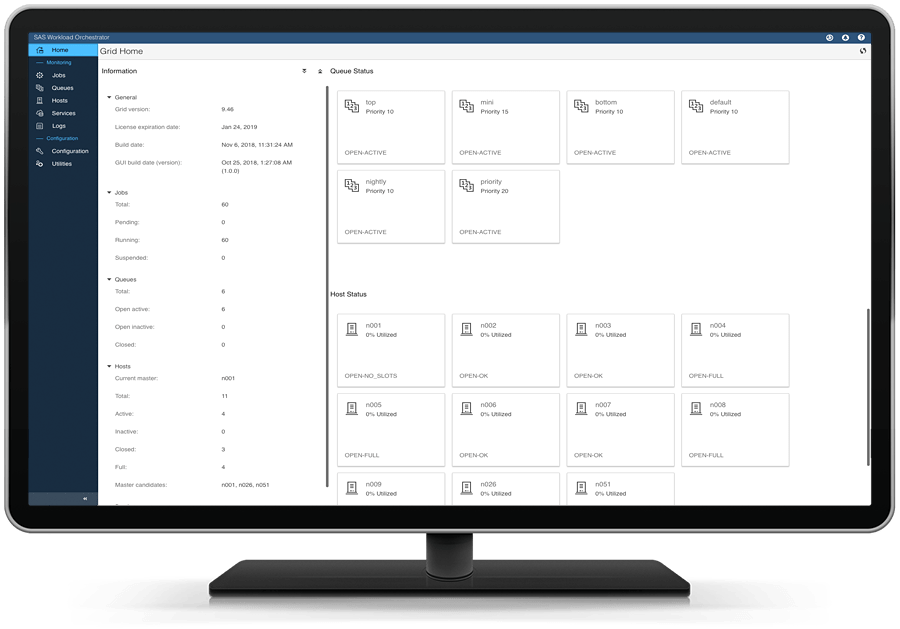
SAS Grid Manager gives IT the flexibility to meet service level commitments by easily reassigning computing resources to meet peak workloads or changing business demands. A central point of control lets you easily administer policies, programs, queues and job prioritization across users and applications to achieve business goals under a given set of constraints.
Be ready for anything with a highly available SAS computing environment.
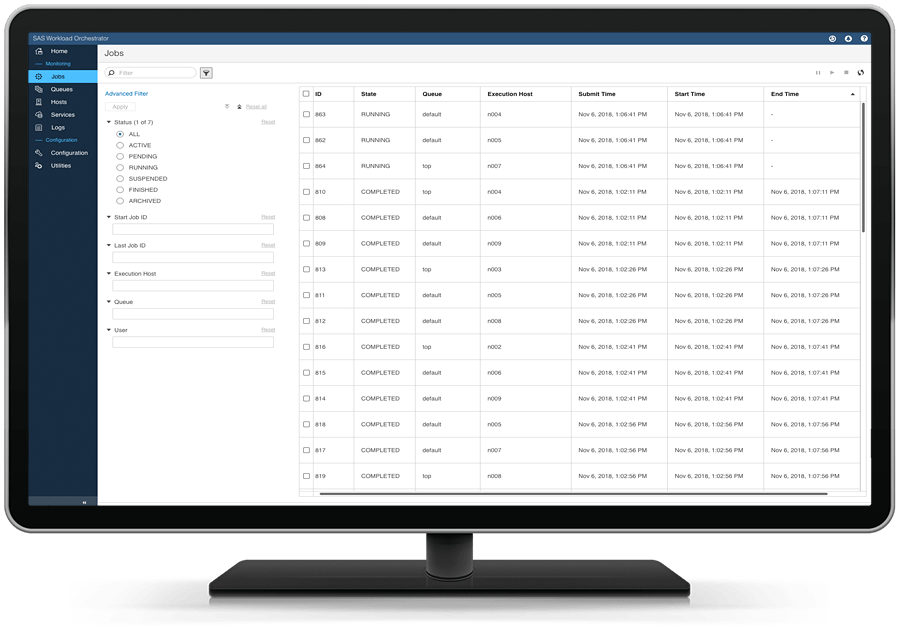
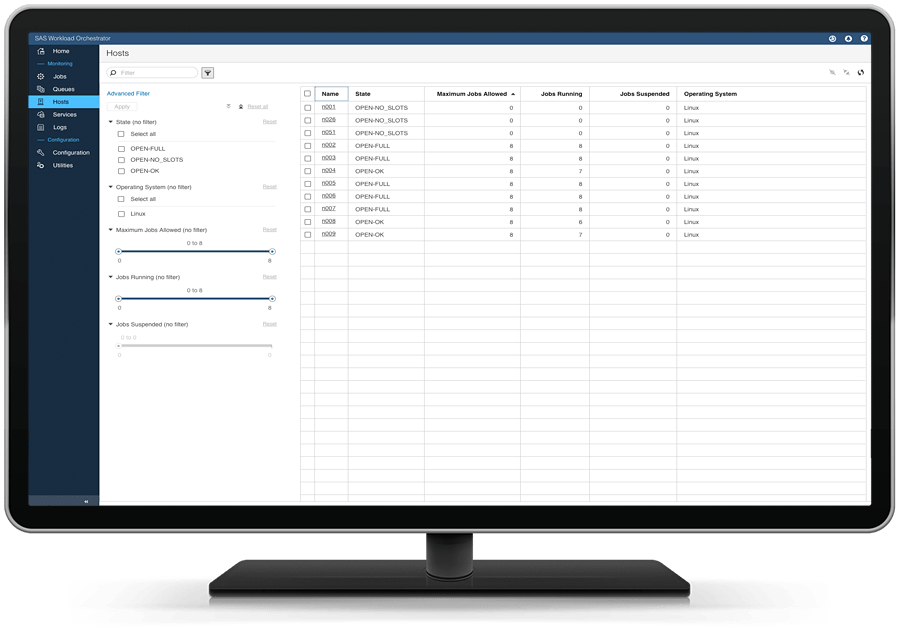
Having multiple servers in a grid computing environment enables jobs to run on the best available resource. If a server fails, its jobs can be transitioned seamlessly to another server. IT staff can also perform maintenance on specific servers, as well as introduce additional computing resources, without interrupting analytics jobs or disrupting the business. And because analysts in today's increasingly diverse analytics ecosystems are using a variety of programming languages, SAS Grid Manager lets you manage all your jobs, in SAS and other languages, ensuring all your analytics run quickly.
Divide and conquer.
Multiprocessing capabilities let you divide individual jobs into subtasks that run in parallel, reducing processing time. This is particularly effective for analytics programs with large data sets and long run times, as well as those with repetitive runs of independent tasks running against large data sets. You can take advantage of all available computing resources now and cost-effectively scale out as needed, adding capacity in single processing units with commodity hardware. There’s no need to size today’s environment for anticipated future needs.
NOW AVAILABLE
SAS® Workload Management on SAS® Viya®
SAS Workload Management on SAS Viya extends the power of Kubernetes by optimizing and prioritizing SAS workloads within a Kubernetes cluster.
KEY FEATURES
A flexible, centrally managed grid computing environment with workload balancing, high availability and faster processing.
Dynamic, resource-based workload balancing
Delivers enterprise-class dynamic workload balancing for multiple users and applications.
Shared environment with high availability
Includes high-availability capabilities for all critical services. Failover to another node within the grid eliminates the need for a hot standby.
Grid-enabled SAS
Processes analytics jobs faster, and provides more efficient computing resource utilization. Integrates with all SAS analytics applications by storing grid-enabled code as SAS Stored Processes.
Automated management & monitoring
Provides a web-based tool for monitoring and managing resources, users and jobs. Serves as an interface for configuring and managing high-availability services, and defining alerts when thresholds are exceeded.
Scalability for running complex analytics faster
Lets you manage a wide variety of SAS and open source jobs across grid environments for optimal resource utilization and faster processing. Divide individual SAS jobs into subtasks that are executed in parallel to accelerate processing and increase workload throughput.



Get to Know SAS® Grid Manager

Need consulting services? Training?
Need consulting services? Training?
Whether you’re launching a new SAS grid environment or you need to fine-tune your environment for performance and growth, we’ll make sure your grid is modern, flexible and forward-looking.

Join the SAS® Administration and Deployment Community
Join the SAS® Administration and Deployment Community
Ask questions, share tips and tricks, and learn best practices for installing, updating, managing or maintaining a SAS deployment.
Explore More on SAS® Grid Manager & Beyond
To browse resources by type, select an option below.
-
- Select resource type
- Analyst Report
- E-Book
- Executive Brief
- Fact Sheet
- Industry Overview
- Product Brief
- Overview Brochure
- Solution Brief
- White Paper
- White Paper
- Webinar
- Article
- Blog Post
- Book Excerpt
- Case Study
- Infographic
- Interview
- Research
- Series
- Video
- Customer Story
-
 E-Book
SAS Grid Computing For Dummies, Second EditionBy implementing a SAS Grid Computing environment, you can better balance and manage workloads, use resources to their full extent, and increase productivity and overall performance. This e-book tells you how.
E-Book
SAS Grid Computing For Dummies, Second EditionBy implementing a SAS Grid Computing environment, you can better balance and manage workloads, use resources to their full extent, and increase productivity and overall performance. This e-book tells you how.
-
 White Paper
Outcompete by Outcomputing With SAS Grid Manager on Red Hat Enterprise LinuxLearn how SAS Grid Manager with Red Hat Enterprise Linux configurations demonstrate robust performance and a scalable environment using commodity hardware and a wide variety of shared file systems.
White Paper
Outcompete by Outcomputing With SAS Grid Manager on Red Hat Enterprise LinuxLearn how SAS Grid Manager with Red Hat Enterprise Linux configurations demonstrate robust performance and a scalable environment using commodity hardware and a wide variety of shared file systems.
-
 Customer Story
Achieving academic and operational excellence through business intelligenceCurtin University uses SAS Visual Analytics to provide reporting across the organization.
Customer Story
Achieving academic and operational excellence through business intelligenceCurtin University uses SAS Visual Analytics to provide reporting across the organization.
Related Offerings
Check out these grid-enabled SAS products and solutions.