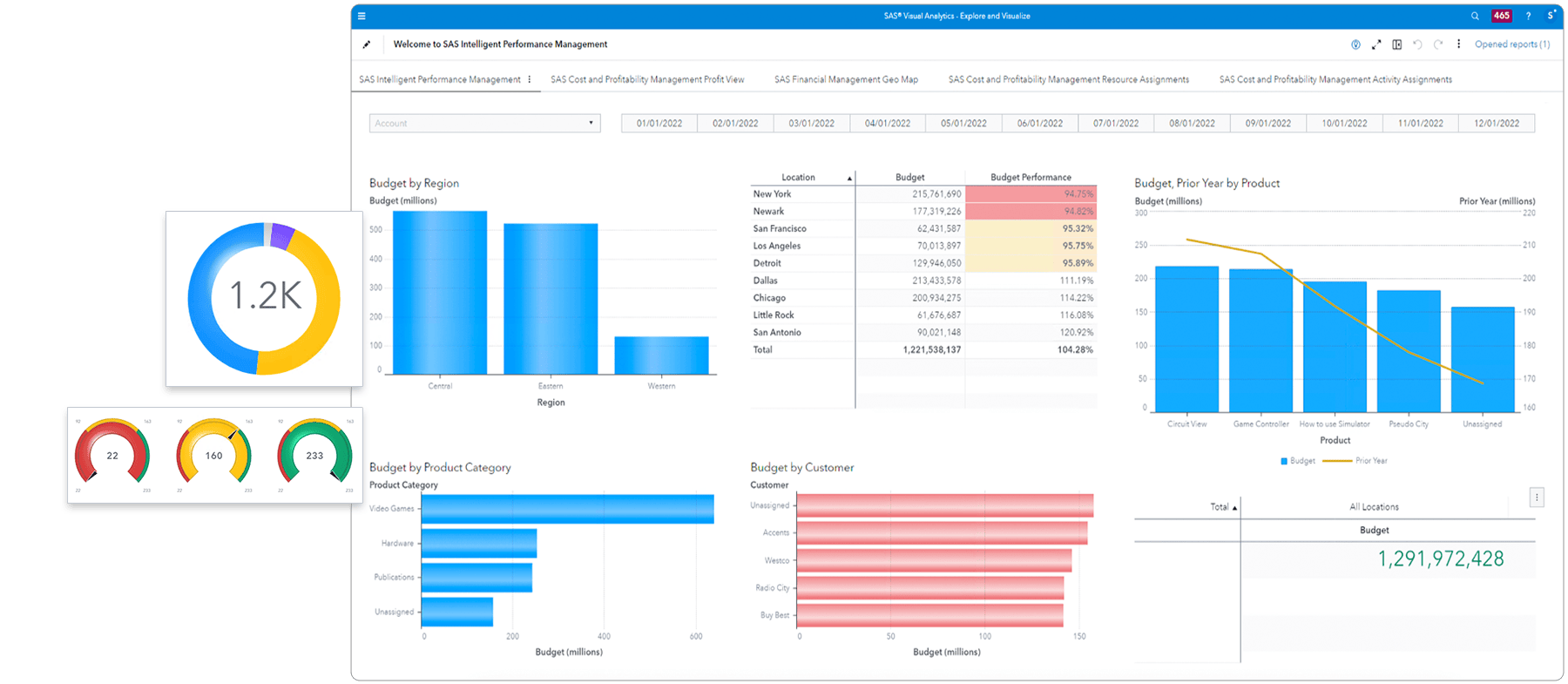
SAS® Financial Management
Improve the accuracy and timeliness of financial plans, budgets and reports
Benefits
- Communicate and execute strategies more effectively.
- Create more frequent, accurate forecasts.
- Publish financial reports more quickly.
- Plan your transition to International Financial Reporting Standards (IFRS).
Features
- Dynamic consolidation
- Accounting logic
- Budgeting and planning
- Data management
- Information delivery
" What SAS does exceptionally well is provide customer service at the highest possible mark."
—Caterri Woodrum
Chief Deputy Director, Chief Financial Officer
NC Museum of Art
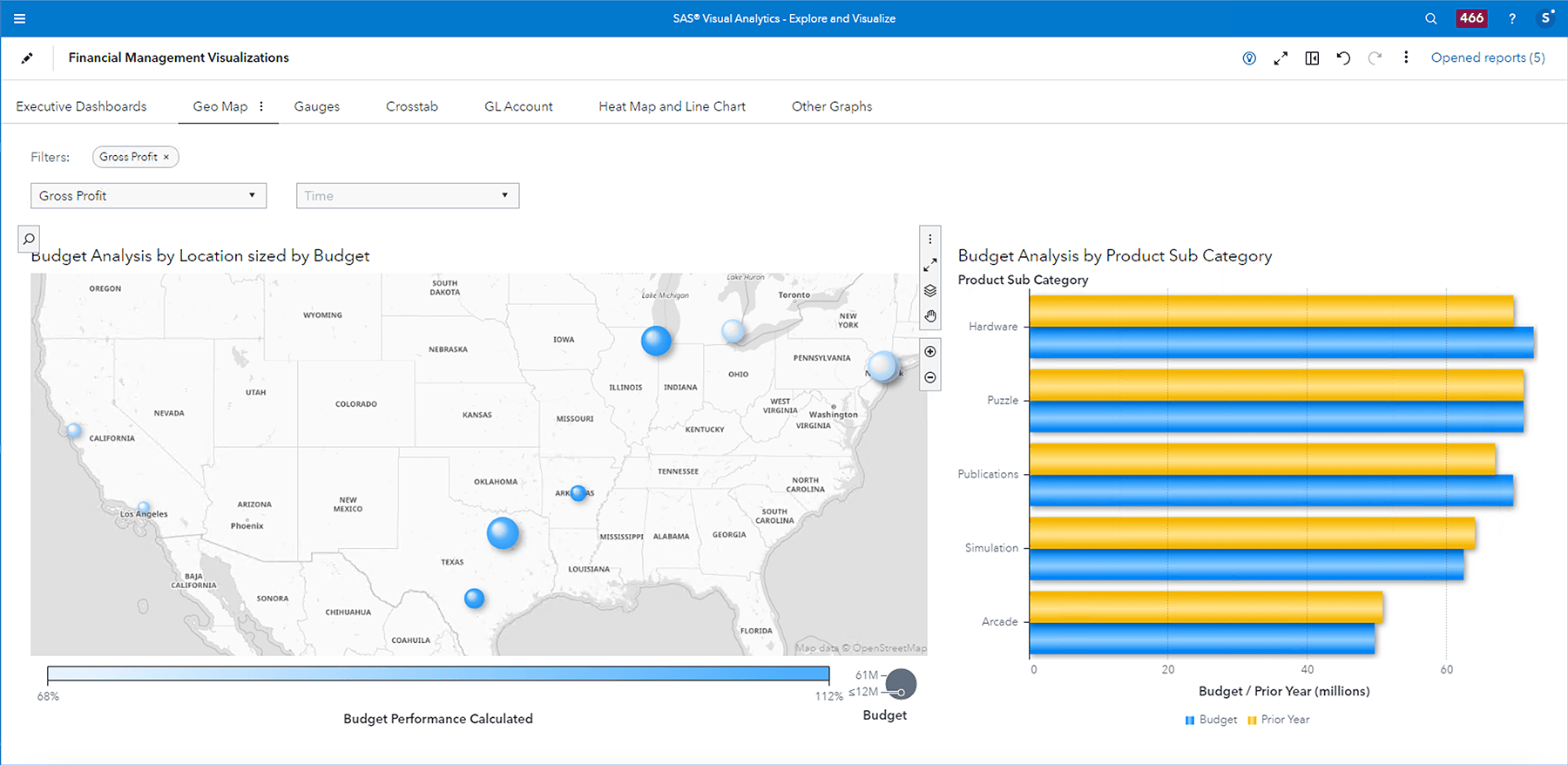
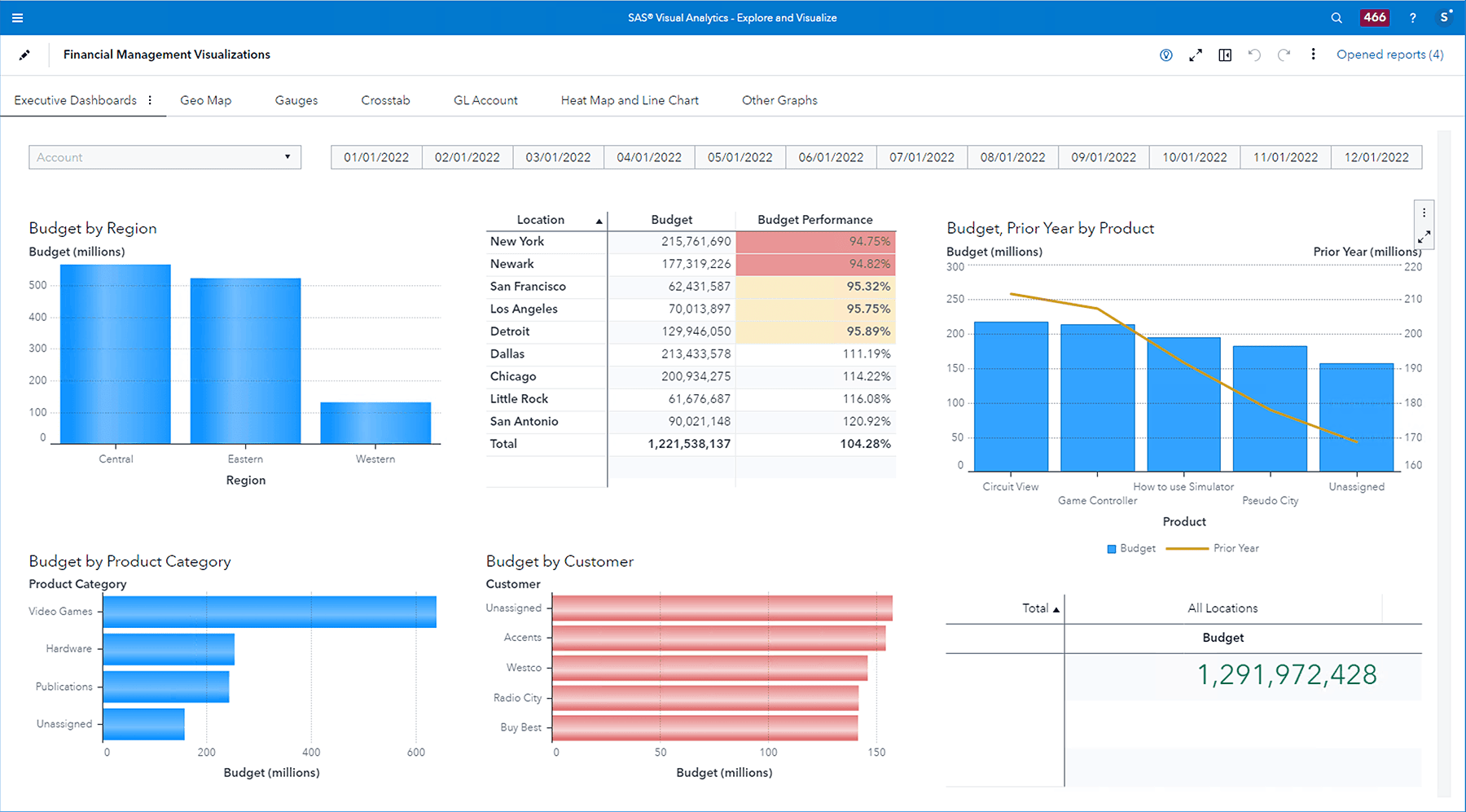
Screenshot
Develop and compare scenarios interactively with historical, forecast and graphical data.
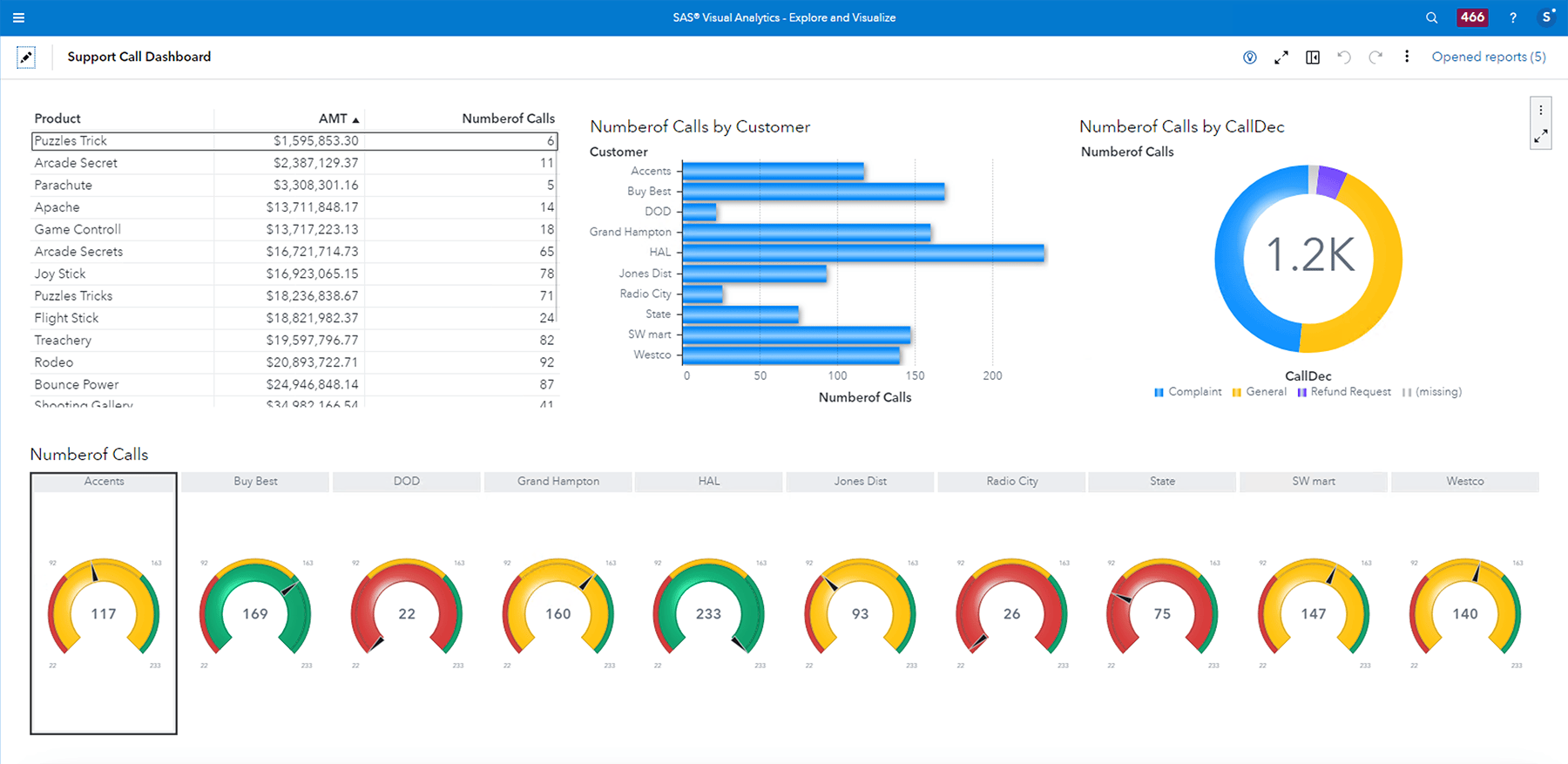
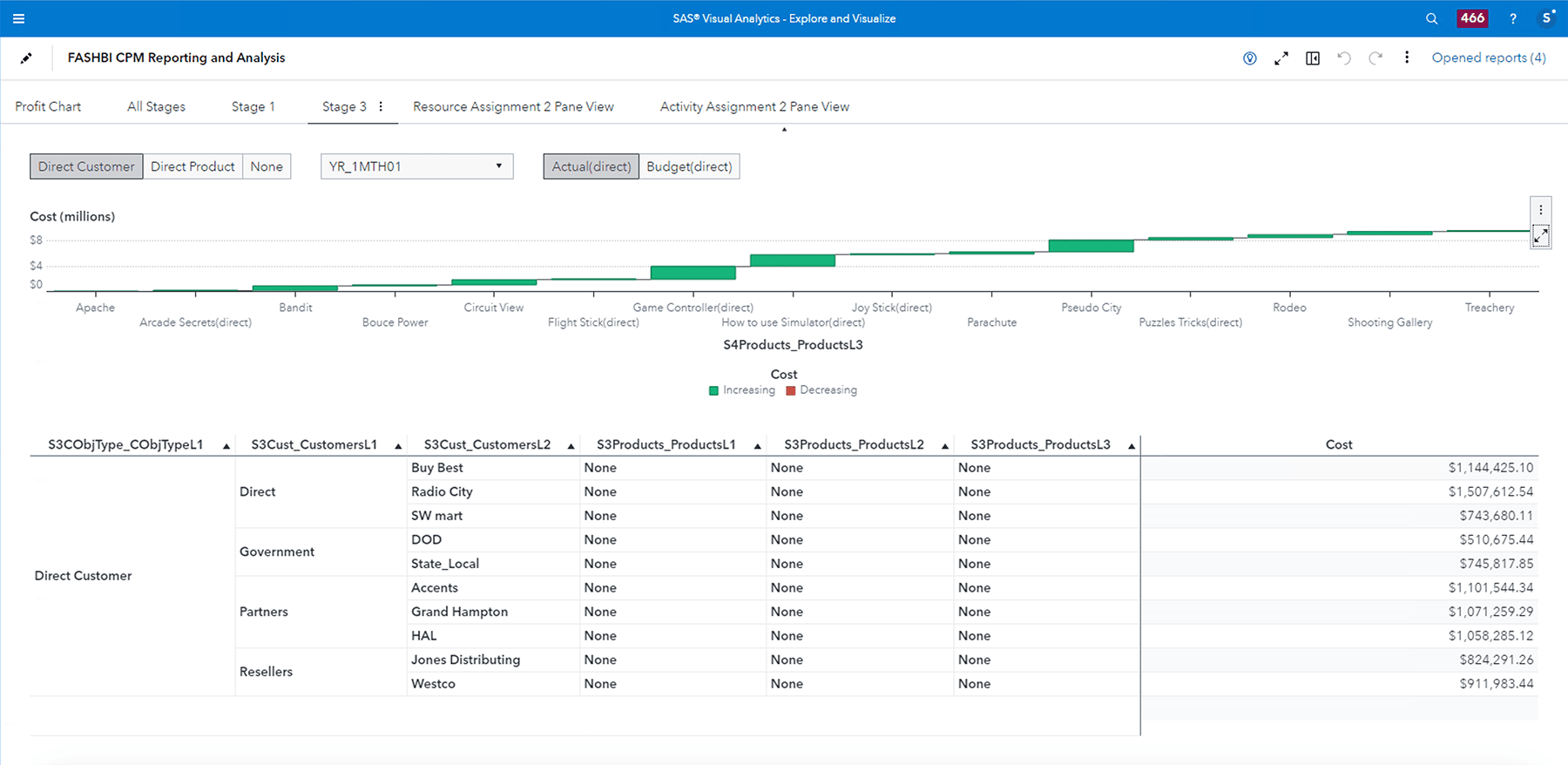
Screenshots
How SAS® Is Different
SAS Financial Management is a comprehensive solution for financial reporting and planning that provides organizations with financial transparency, on-demand consolidation and performance-based budgeting capabilities.
- Simulate potential outcomes for leveraging opportunities and mitigating threats.
- Identify correlations between activities and objectives to better predict the most optimal path to success.
- Utilize more accurate forecasts in planning, identifying historical trends and aligning operations with planning.
- Accelerate analysis of financial information and eliminate time-consuming batch processing.
- Facilitate collaborative budgeting and planning.
- Create reports that conform to new regulatory and compliance needs.
Benefits
- Communicate and execute strategies more effectively. SAS Financial Management provides seamless communication of strategy with integrated planning, budgeting, financial reporting, business modeling, and scorecards and dashboards.
- Create more frequent, accurate forecasts. With SAS Financial Management, you can explore multiple scenarios and encourage broader participation in forecast development to enhance the reliability of published earnings expectations.
- Publish financial reports more quickly. SAS Financial Management performs on-demand consolidations that include automatic currency conversion, intercompany eliminations, ownership adjustments, allocations and more, helping you close your books faster.
- Plan your transition to International Financial Reporting Standards (IFRS). SAS Financial Management allows simultaneous reporting in both local GAAP and IFRS, easing the transition while ensuring regulatory compliance. The accompanying IFRS Planning Guide will help you focus on what’s important for a smooth transition. Download the IFRS Planning Guide now.
Features
- Dynamic consolidation
-
- Bidirectional, dynamic, secure link to the common data repository.
- On-demand access to actual and planning data.
- On-demand consolidation for enhanced what-if scenario modeling.
- Accounting logic
-
- Support for multiple accounting standards and partial ownership consolidations.
- Manual journal adjustments.
- Balancing rules.
- Allocations.
- Automatic time aggregations (e.g., year to date).
- Roll forward of retained earnings.
- Multiple exchange rate sets.
- Currency translation adjustment for single and multiple accounts.
- Calculated rates ( e.g., cost per product).
- Special data dimension classifies and tracks changes to source data from external systems or data entry forms.
- Budgeting and planning
-
- Rolling forecasts.
- Driver-based, top-down and bottom-up budgeting.
- Enterprisewide collaboration.
- Workflow control.
- Budget-cycle seeding.
- Advanced SAS Analytics for intelligent forecasting.
- Supplementary schedules.
- Data management
-
- Common data model for integration with other SAS solutions.
- Extraction, transformation and loading from virtually any data source, including ERP systems, RDBMSs and Microsoft Excel.
- Validation of data while importing and automatic generation of error reports when data importing fails.
- Checks during data importing for missing dimension values, trial balance debit or credit, and intercompany activity that has been tagged for internal and external trading.
- Information delivery
-
- Reports created in Microsoft Excel.
- Shared reports are easily accessed.
- Automatic notification for key information, such as KPIs.
- Workflow managed for individual users.
- Data flow automated, minimizing the time users spend gathering data.
System Requirements
Server Environment, in addition to SAS 9.3
Operating system/application server
- Windows 2008 Server R1 or R2 (64-bit) with:
- Oracle WebLogic 10.3.3 or 10.3.5
- IBM WebSphere 7.0.0.13, ND or OEM
- JBoss 5.1.1
- Sun Solaris/SPARC v10 (64-bit) with:
- Oracle WebLogic 10.3.3 or 10.3.5
- IBM WebSphere 7.0.0.13, ND or OEM
- JBoss 5.1.1
- IBM AIX 6.1 and 7 (64-bit) with:
- IBM WebSphere 7.0.0.13, ND or OEM
- JBoss 5.1.1
- Red Hat Linux 5 (64-bit), or SuSE Linux 10 or 11 (64-bit) with:
- Oracle WebLogic 10.3.3 or 10.3.5
- IBM WebSphere 7.0.0.13, ND or OEM
- JBoss 5.1.1
- Red Hat Linux 6 (64-bit) with:
- Oracle WebLogic 10.3.3 or 10.3.5
- IBM WebSphere 7.0.0.15, ND or OEM
- JBoss 5.1.1
Note: In most cases, the Application server will need to be procured directly from the respective vendor
Database (Embedded within SAS Financial Management)
- MySQL Server 5.1.55
Client Environment
Operating systems
- Intel / AMD x86 with:
- Windows XP Professional SP3 (32 bit)
- Windows Vista SP2 (Enterprise, Business or Ultimate, 32 bit)
- Windows 7 (Enterprise, Ultimate or Professional, 32 bit)
- Intel / AMD x64 with:
- Windows XP Professional SP3 (32/64-bit)
- Windows Vista SP2 (Enterprise, Business or Ultimate, 32/64-bit)
- Windows 7 (Enterprise, Ultimate or Professional, 32/64-bit)
- Citrix with Windows 2008 (R1 or R2), 32/64-bit
Microsoft Office Versions
- Office 2007
- Office 2010
Supported Web Browsers
- Internet Explorer 7, 8 and 9: Windows Vista* (32-bit and x64), Windows 7** (32-bit and x64), Windows XP Professional (32-bit and x64)***
* NOTE: Windows Vista supported editions are: Enterprise, Ultimate and Business.
** NOTE: Windows 7 supported editions are: Enterprise, Ultimate and Professional.
** NOTE: Internet Explorer 9 is not supported on Windows XP Professional.
Hardware Requirements
The minimum hardware requirements for memory and processor speed can vary greatly depending on the use of each solution. The Enterprise Excellence Center at SAS has a sizing and configuration program. Please contact the EEC for accurate hardware sizing, including migration from prior releases, and contact your SAS representative with any additional questions about technical requirements.
Minimum server requirements
- Data Tier: 4 cores / 16GB
- Mid-Tier: 4 cores / 16GB
- ODCS Tier: (included in mid-tier)
Minimum client requirements
- 2.1GHz processor
- 1GB of available physical memory above what is normally utilized by all other applications (such as the operating system, e-mail, Microsoft Office, and web browsers)
- Page file set to 1.5x physical memory, as recommended by Microsoft and SAS
Recommended client size for consistent performance
- Core 2 Duo (or equivalent) processor
- At least 2GB of available physical memory above what is normally utilized by all other applications (such as the operating system, e-mail, Microsoft Office, and web browsers)
- Page file set to 1.5x physical memory, as recommended by Microsoft and SAS
Ready to learn more?
Call us at 1-800-727-0025 (US and Canada) or request more information.