
SAS Office Analytics for Midsize Business
Access SAS analytics, data and reporting capabilities directly from Microsoft Office applications for faster, more informed business decisions.
What is SAS Office Analytics for Midsize Business?
SAS Office Analytics for Midsize Business is an analytics solution that provides data access, management, advanced analytics and reporting through Microsoft Office applications, including Excel, Word, PowerPoint and Outlook. It helps business users access current data, perform guided analysis and share SAS results within familiar Office environments.
Benefits of SAS Office Analytics for Midsize Business
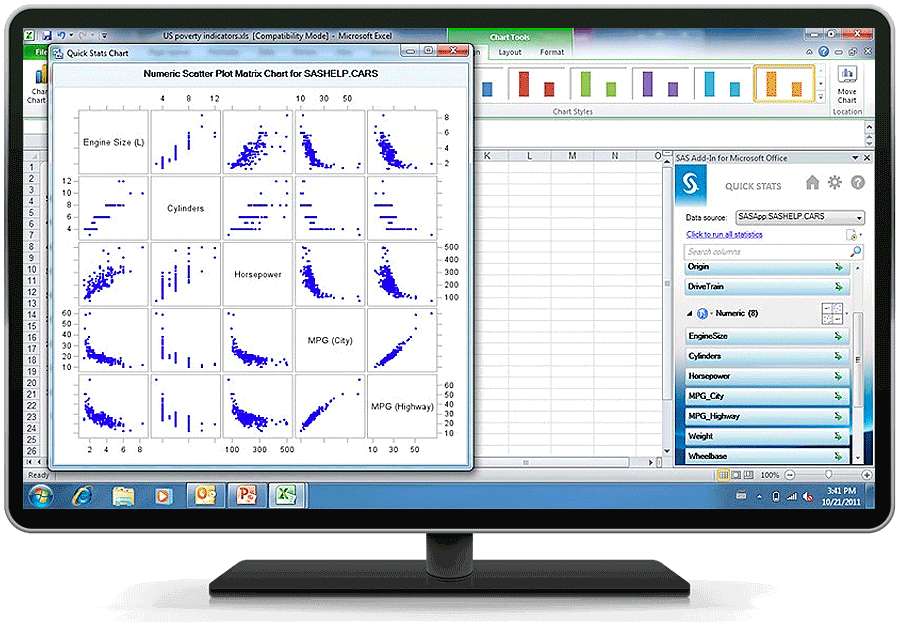
Get a single, consistent view of data.
Access and consolidate data from different operational systems to get a unified view of current information. Instead of building your own data extracts, you can take the most recent data from operational systems and populate Microsoft Excel, Word and PowerPoint files, as well as SharePoint portals – different versions of the same report will be a thing of the past.
Make business users self-sufficient.
By taking advantage of SAS Analytics directly from familiar Microsoft Office applications, business users can get predictive insights rather than just summaries and basic graphs. They'll be confident that they're using the most up-to-date information for accurate analysis, while eliminating problems associated with intermediate summarized data formats.
Get faster, better results – easily.
An intuitive query interface lets you access large amounts of data and view results directly in Excel. Guided analysis enables you to analyze data, schedule projects, share results and embed them into Office applications.
Free IT for more strategic tasks.
Centralized data access and control ensures that users have appropriate access privileges and can react quickly to business demands. This frees IT from tedious maintenance and ad hoc query and reporting tasks.
Support compliance regulations.
Produce repeatable results using validated data and processes that are easy to document and verify for corporate and governmental compliance. Imagine the time savings – no more tracking down which report is the correct one.
Key Features
Microsoft Office integration
Access SAS capabilities for data access, reporting and analytics directly from Microsoft Office tools, including Word, Excel, PowerPoint and Outlook.
Data access engines
Access data directly, easily and securely with native interfaces. Use the solution's data access capabilities, including SAS/ACCESS® Interface to PC Files for access to Microsoft Excel, Microsoft Access, dBase and Lotus.
Powerful SAS Analytics
Includes a wide range of statistical analysis capabilities, including analysis of variance for analyzing experimental data, and regression to examine the relationship between a response variable and a set of explanatory variables.
Guided analysis and model development for power users
Provides a .NET-based native Windows application to programmers, analysts and advanced users.
Business metadata management for IT
Map physical data structures to business terms in an easy-to-use interface and access data from virtually any data source, including multiple sources at once.
Explore More on SAS Office Analytics for Midsize Business & Beyond

Customer Story
Nonprofit consulting firm CNM
Discover how nonprofit consulting firm CNM helps other nonprofits measure and communicate the impact of their work.

Customer Story
Viking Europe
Find out how a retailer creates compelling customer experience via data-driven marketing.