
SAS Developer Home
Resources for developers on SAS and open source




— SAS VS Code extension – SAS has officially released a VS Code SAS programming code extension. The extension is available on SAS' Visual Studio Marketplace, and we've also created the sas-vscode-extension repository on sassoftware GitHub.
— Upcoming SAS Ask the Expert webinar – How Do I Use Open Source With SAS Viya? – Join Melodie Rush as she discusses integrating SAS Viya and open-source technologies. Tuesday June 14, 2022, at 10 AM ET.
—SAS blog post – SAS Analytics Pro on Viya - Part 1 – Join Lucas de Paula on this introduction to SAS Analytics Pro on Viya and how to install the software.
Featured content on developer.sas.com. Check back often to discover more resources.
The Developers Community is part of the SAS Support Communities and provides a forum for collaboration, Q&A, and knowledge and resource sharing for SAS integration with open source technologies.
Discover how SAS helps you explore, analyze and visualize your data. Browse trials by role, register, activate, and launch.
— SAS Viya COVID-19 Data Discovery and Analytical Modeling Environment – Access a suite of analytics software preloaded with COVID-19 data and a detailed report.
— SAS Free Software Trials Overview – Discover the entire lineup of free trials offered by SAS. Discover how SAS helps you explore, analyze and visualize your data.
We have relaunched the SAS developer portal at developers.sas.com. We're working on redirecting from the current site developer.sas.com to the new site. You may hit links on the current site that will take you to the new site.
We encourage you to use the new site. Most everything found here is there. Once we have all the redirects in place we'll shut down the old site and the new site will take it's place on developer.sas.com.

Explore APIs and Development Resources
-
- Filter by solution
- Analytical Visualization
- Artificial Intelligence
- Streaming Analytics
- Marketing
- IoT
- Risk Management
- SAS Visual Analytics
- Data Management
- SAS Visual Investigator
-
- Filter by role
- Analyst
- Application Developer
- Developer
- Data Scientist
- SAS Administrator
- Business Analyst
- Statistician
- Programmer
-
- Filter by technology
- Open Source
- Cloud
- SAS Platform
-
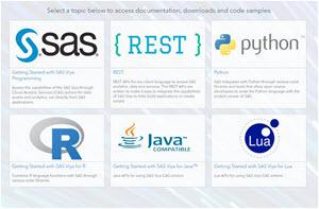 Open Source SASOpen source development resources for developers. SAS provides application and enterprise developers, data scientists, and analysts with access to SAS services. Integrate open source languages and agile technology with the capabilities of SAS analytics.
-
 RESTREST APIs for any client language to access SAS analytics, data and services. The REST APIs are written to make it easy to integrate the capabilities of SAS Viya to help build applications or create scripts.
-
 SAS Customer Intelligence 360Use data, analytics and insights on prospects and customers to create relevant, individualized experiences in real time.
-
 SAS Viya SDK for JavaScriptThe SAS Viya SDK for JavaScript is a collection of JavaScript libraries for interfacing with SAS Viya resources and embedding SAS Viya content into custom web pages and portals.
-
 API End-to-End Use CasesThis GitHub project aims to leverage the knowledge base of the SAS users and developers community for better SAS API documentation, user guides and quick starts.
-
 PythonSAS integrates with Python through various code libraries and tools that allow open source developers to unite the Python language with the analytic power of SAS.
-
 SAS IoT AnalyticsA collection of IoT use cases, code examples, and supporting material to build end-to-end analytics life cycle for IoT using SAS IoT Analytics
-
 Conversation Designer SDKThe SAS Conversation Designer software development kit (SDK) is a set of JavaScript APIs and web components that enable SAS Conversation Designer chatbots to be easily embedded in a third-party application or web page.
-
 SAS Viya Orders APISupport resources for SAS Viya orders. Find access to your SAS Viya orders, API reference documentation, and tutorials on your SAS Viya software.
-
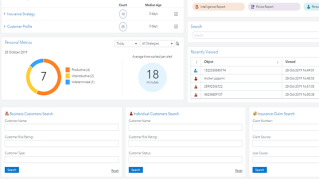 SAS Visual InvestigatorSAS Visual Investigator enables users to identify, investigate, and act on suspicious activities and events of interest quickly and easily with self-service capabilities that govern the complete life cycle of an investigation, search, or inquiry.
-
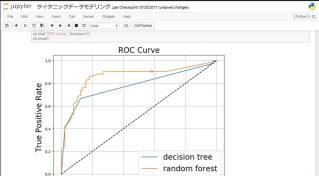 SASPy LibraryThis project provides Python APIs to the SAS system. You can start a SAS session and run analytics from Python through a combination of object-oriented methods and Python magics.
-
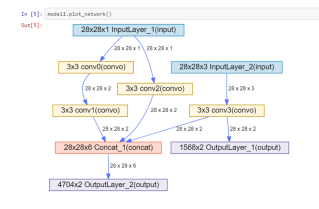 SAS DLPy LibrarySAS DLPy is a high-level open-source package for the Python APIs that are created for the SAS Viya 3.4 (and newer) Deep Learning back end.
-
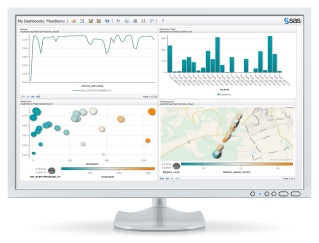 SAS ESPPy LibraryThe ESPPy package enables you to create SAS Event Stream Processing (ESP) models programmatically in Python. Using ESPPy, you can connect to an ESP server and interact with projects and their components as Python objects.
-
 Python SWATThe SAS Scripting Wrapper for Analytics Transfer (SWAT) is a package developed to allow the Python interface to access the SAS Viya platform.
-
 Getting Started with SAS Viya ProgrammingAccess the capabilities of the SAS Viya through Cloud Analytic Services (CAS) actions for data access and analytics, run directly from SAS applications.
-
 Getting Started with SAS Viya for RCombine R language functions with SAS through various code libraries.
-
 Mobile SDKThe SAS SDK for iOS and SAS SDK for Android are Software Development Kits (SDKs) that you use to create your own mobile apps to access content on your SAS Visual Analytics server
-
 SAS Data Management for developersSAS Data Management helps transform, integrate, govern and secure data while improving its overall quality and reliability.
-
 Data Management on SAS Viya for developersData Management on SAS Viya allows developers to load, import, and profile data using an IDE or via REST APIs. You can also cleanse, prepare, and transform your data. Finally, the functions facilitate the management and governance of data assets and their relationships.
-
 Intelligent RealitiesAn intelligent reality is a technologically enhanced reality that improves human cognitive performance and judgement. It can make a worker better by displaying information from the IoT in the physical reality. Since reality is real-time, streaming analytics from SAS ESP is a crucial component of intelligent realities.
-
 Getting Started with SAS Viya for Java™ Java APIs for using SAS Viya CAS actions
-
 Getting Started with SAS Viya for LuaLua APIs for using SAS Viya CAS actions
-
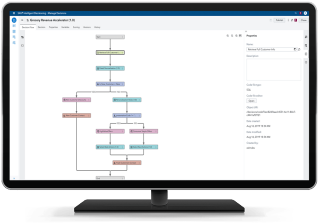 Intelligent DecisioningSAS Intelligent Decisioning helps organizations manage data, business rules, analytical models, and optimization techniques.
FEATURED
Introducing the SAS Developer CDN
If you already utilize SAS JavaScript SDK libraries, I suggest that you make this simple change today and start using the SAS Developer CDN! For more information about SAS SDKs and APIs, visit the SAS Developer Portal.



SAS repositories on GitHub provide code examples, libraries, and tools for developers.
- Visit the GitHub Resources page for a list of the most popular developer repos.
- To access all the SAS repositories go directly to github.com/sassoftware.